So, What Am I Doing Here?
I’ve been operating this fellowship without much of a guiding light. That doesn’t mean I haven’t been doing anything. I’ve been making things, testing tools, teaching classes, writing blog posts, following whatever catches my attention, and generally pulling on threads to see where they lead. I’m producing plenty. I’m probably producing too much.
But I haven’t had a great answer when someone asks, “So, what are you actually trying to accomplish?”
Apparently I need a green light at the end of the dock. I need the Daisy to my Gatsby.
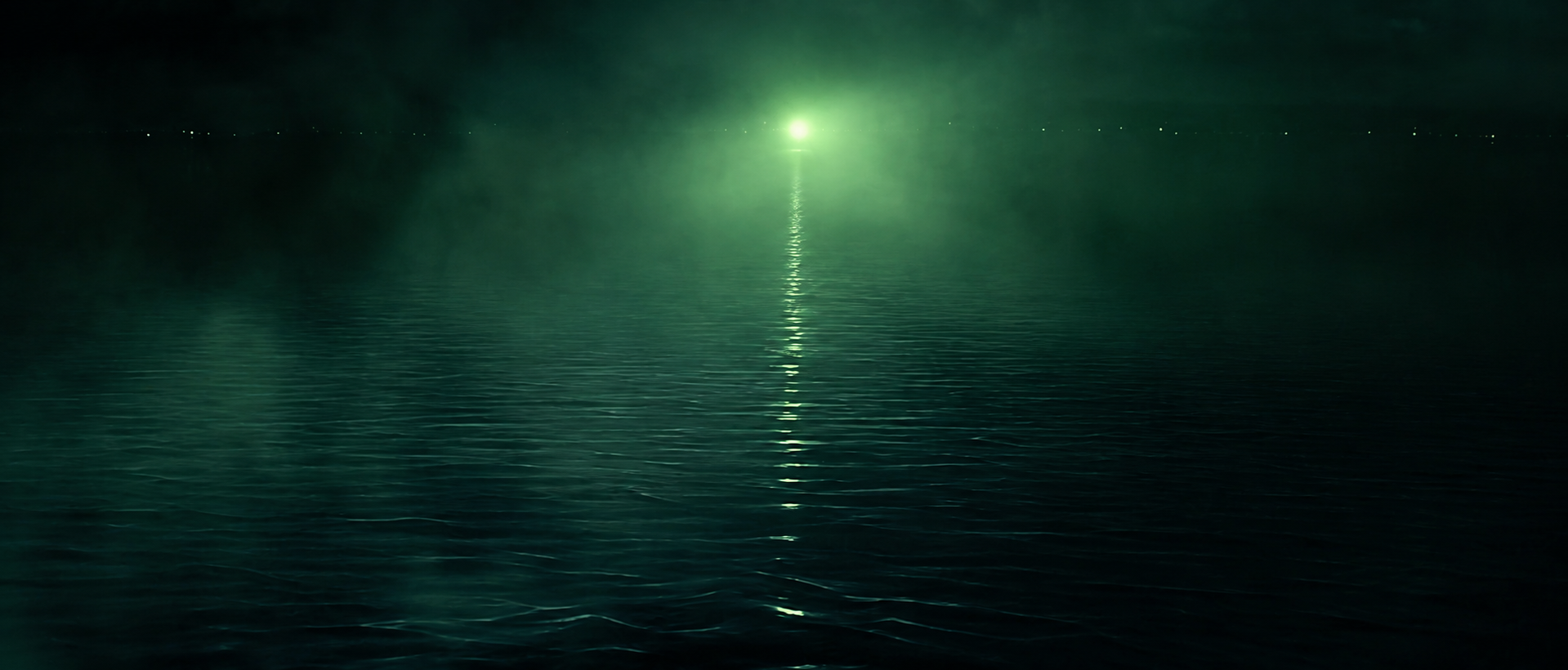
That metaphor falls apart almost immediately, not just because Leo would never play me, but because Gatsby didn’t have what anyone would call a healthy project-management strategy. But I understand the feeling. I need something out there that tells me what all this wandering is pointed toward.
I think the simplest answer is:
Making. Thinking. Teaching.
That’s what I’m doing.
I’m making things with AI inside real visual communication workflows. Then I’m thinking about what happened. Then I’m trying to figure out what any of it means for teaching.
The order probably changes depending on the day. Sometimes teaching gives me something I need to think about, which sends me off to make something. Sometimes I make something that breaks my understanding of how the tool works. Sometimes a student asks a question that exposes a hole in everything I thought I understood.
It’s less of a straight line and more of a loop.
The making part matters because I don’t think I can answer these questions from the sidelines. I can read about AI. I can listen to people talk about the future of creative work. I can watch someone generate an image in fifteen seconds and declare that graphic design is over.
None of that tells me very much about what happens when you try to use these tools inside an actual creative process.
So I want to make things.
I want to see where AI fits when I’m designing a poster, building a visual identity, developing a photographic look, editing video, creating motion graphics, making a website, or doing any of the other things we teach in visual communication.
I don’t need to test every possible workflow. I’m not trying to become an expert in every class in our sequence, and I definitely don’t want to act like I understand my colleagues’ disciplines better than they do. I want to choose a few representative processes and go deep enough that I can talk about them from experience.
Where does AI help?
Where does it flatten everything?
When does it give me something I couldn’t have reached on my own?
When do I need to take control back?
That last question is becoming a BIG ONETM.
The reality of AI is that it removes friction. It makes things faster. It gets rid of the blank page. It generates the variations. It fills in the background. It cleans up the audio. It writes the code. It gives you the thing you were about to spend three hours making yourself.
Some of that friction deserves to disappear. Creative work includes plenty of tedious production that nobody needs to preserve for sentimental reasons. I, for one, will never miss cleaning up audio… but that doesn’t mean friction needs to be completely removed.
Because friction teaches us.
The failed sketch taught us something. The awkward first edit taught us something. Taking the photograph ourselves taught us something. Manually moving things around a page taught us about hierarchy. Making twenty bad versions helped us recognize the good one. Wrestling with the material gave us time to develop an opinion about it.
When AI removes the struggle, it can also remove the moment where judgment develops.
I think that may be the real guiding question for this fellowship:
When AI removes friction from visual communication work, how do we know which friction still matters?
And then, because I’m a teacher:
How do we help students learn to recognize the difference?
That’s where this question about the “human touch” starts to make more sense to me.
I’m interested in imperfection, taste, emotional specificity, control, and the handmade quality that AI tends to sand away. AI makes things very clean by default. It reminds me of what happened when desktop publishing made everything suddenly smooth, centered, and available. Eventually designers had to figure out how to bring the hand back into the computer. Something like Ray Gun didn’t reject digital tools. It smashed techniques together until the computer stopped dictating what the work had to look like.
That’s closer to what I want.
The human touch isn’t a distressed texture slapped over a generated image. It comes from the decisions accumulating around the image. It’s what I choose, what I reject, what I interrupt, what I redraw, and what I leave slightly wrong because slightly wrong feels more honest in that moment.
I want the final work to hide the exact tool that made it. It should accomplish whatever it needs to communicate, and then maybe someone who understands the craft looks at it and asks, “Huh. How’d he do that?”
That’s usually the reaction I’m chasing.
The AI can be visible in the process without becoming the entire aesthetic of the result. It becomes one material among many.
This is also changing how I understand my own Shoe-Lace Workflow.
I originally talked about the Shoe-Lace Workflow as a way of lacing an AI tool into a workflow you already understand. You might generate an asset with AI, bring it into Photoshop, and continue working through a more familiar process.
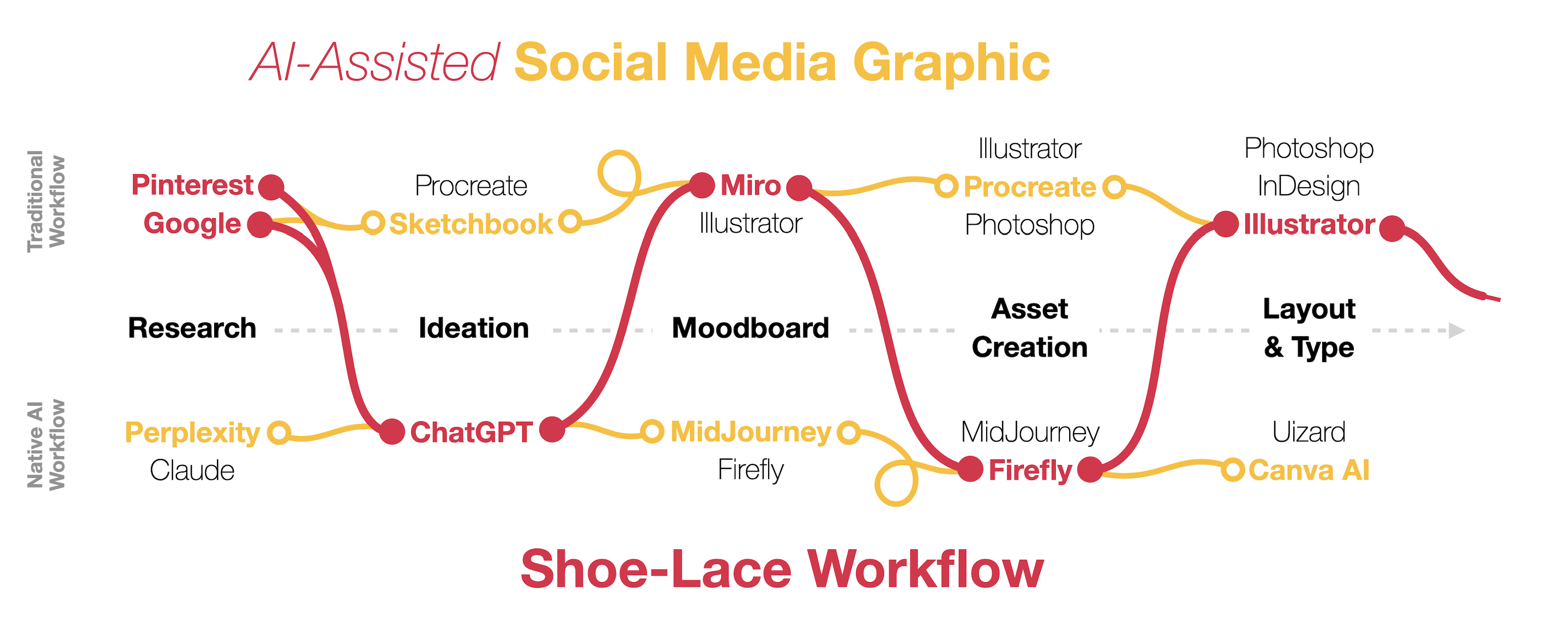
That still makes sense, but the work I’m doing now involves far more passing things back and forth.
I sketch something and hand it to AI. AI gives me something that goes into Photoshop. I tear that apart and feed a piece of it back into another model. I generate a texture, blend it into an Illustrator composition, pull the result into motion, and then return to a handmade element because the movement feels too perfect. I describe a website to Codex, inspect what it builds in the browser, react to it visually, and then bring those reactions back into the conversation.
The shoe-lace is great to get you started in understanding how to bring AI into your existing workflow, but now I want to focus on the handoffs that happen when you’re in a specific part of your workflow.
Every handoff asks me to decide who should be doing what.
What do I want to control?
What am I willing to leave open?
What can the AI do better than I can?
What can I see that the AI can’t?
Where does randomness help?
Where do I need specificity?
Those decisions are the work. They’re also where my experience matters. I’ve worked in visual communication, motion graphics, 3D, video, post-production, and interactive media long enough to recognize certain problems when they appear. I know how to take an output apart and rebuild it using another method.
But what happens for someone who doesn’t have that background yet?
That’s the teaching problem.
If AI starts removing the junior-level production tasks where people traditionally built experience, students may have fewer opportunities to develop judgment slowly through repetition. I don’t think we can pretend they’re suddenly senior creatives because they can generate polished-looking work. Seniority isn’t the ability to produce something clean. It’s knowing what to make, why it should exist, what needs to change, and when the thing is actually doing its job.
We need to accelerate the teaching of that judgment.
Students still need to learn the tools, but operating the tool is quickly becoming the easier part. The harder part is knowing when to use it, why to use it, when to stop, and when to add friction back into the process because the easy answer isn’t the meaningful one.
The experiments I’m doing aren’t assignments yet. They’re research that may eventually become assignments. I need to understand a workflow well enough to know where its meaningful decisions happen before I can ask students to work through it.
That means testing both ends of the tool spectrum.
I want to understand what’s possible with consumer tools like ChatGPT, Firefly, Runway, and the AI features being added to the software we already teach. Those tools matter because they’re accessible. Many of our students will work in regional agencies, university communications offices, nonprofits, small businesses, local newsrooms, in-house creative departments, and freelance practices. Their professional lives may not include a giant render farm or an experimental AI studio.
At the same time, I want to learn ComfyUI and more advanced node-based systems. I want repeatable workflows, greater control, consistency across outputs, and a better understanding of what’s happening beneath the prompt box. Eventually, that may lead to working with our research computing department on shared GPU infrastructure that can support more than one person experimenting on one machine.
The professional pipeline and the accessible pipeline both matter. Just like the stuff you see on a runway at fashion week, these professional pipelines will eventually trickle down into the accessible aisles of a Target-level consumer workflow. I want to understand the large-scale version while still asking what someone can do with the tools they can realistically access.
A short film is probably where all of these questions crash into each other.
I have a script from grad school (who doesn’t?) that was abandoned when I fell in love with another project. I’ve always wanted to return to it, and now I want to use it as a case study for an AI-assisted production process. It combines script development, look development, storyboards, shot design, character consistency, motion, editing, sound, and all the strange little production problems that don’t show up when you generate a beautiful five-second clip and post it online.
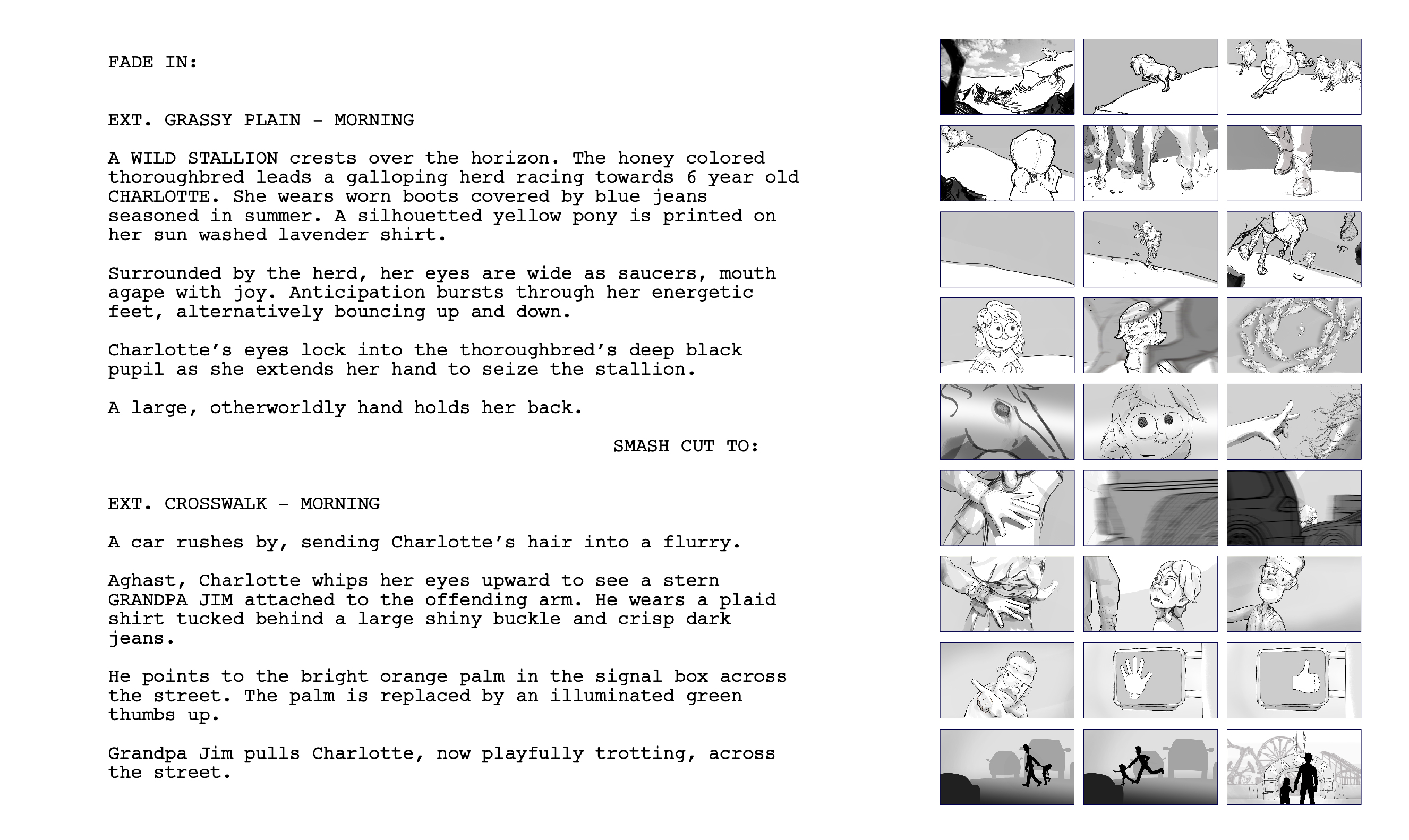
I would love to finish the film. I’m also trying to be honest about the time involved. A three- to five-minute film is still a film, even when AI makes individual pieces of it faster.
What I really want from it is a working pipeline. I want visual tests, process documentation, repeatable techniques, failures I understand, and enough sustained production to find out where the human has to return.
Where do I need to add control?
Where do I need to add imperfection?
Where do I need to slow the process down?
Where do I need to stop the machine from giving me the most statistically polished answer and make a more particular choice?
The best way to learn how to make a film is to make a film. The best way to understand an AI-assisted creative workflow may be to push one far enough that it stops being a demo and starts becoming a real project.
The blog is where I’m keeping track of all this.
These posts are field notes. They let me record what happened while I’m still close enough to remember the confusion, the failure, the workaround, and the little moment when something finally made sense. I don’t need every post to resolve into a polished argument. I need them to preserve the evidence so I can look back later and see patterns I couldn’t see while I was inside the work.
By the end of May, I’d like to have a body of experience.
Some finished things. Some unfinished things. Style tests. Process maps. Screenshots. Failed experiments. Working pipelines. A lot of blog posts. Better language for talking about AI collaboration. A clearer version of the Shoe-Lace Workflow. The beginnings of teaching frameworks grounded in things I’ve actually done.
Maybe all of that eventually becomes a toolkit, a presentation, a set of assignments, or something more formal. I don’t need to decide that part yet. I’d rather make the work first and find out what it meant afterward.
So, TL;DR?
I’m making enough things to discover where human judgment still matters.
I’m thinking about what AI removes, what it changes, and what it can’t decide for us.
And I’m trying to turn whatever I learn into something I can teach.
Making. Thinking. Teaching.
That’s the green light.