The Wrong Way to Go Right.
I asked Luna to grade two students. The assignment had already been graded for the rest of the class, but these two students didn’t submit the video part of the assignment correctly. So when Luna did the grading pass it just marked them as missing. The videos eventually showed up, so I gave Luna what I thought was a pretty simple follow-up: grade these two.
FIFTY. FREAKING. MINUTES. LATER.
It took forever to grade these two stragglers! The weird part is that the grades were good. I agreed with them. Luna looked at the evidence, understood what the students were trying to do, and gave them useful feedback.
It just did an absolutely ridiculous amount of work to get there.
To understand why, I have to back up and explain what the students were doing, because the assignment accidentally became a pretty good model for what happened during the grading.
First Frame, Last Frame, and Everything in Between
The assignment, in the GenAI class, is called Controlling Time. It’s the students’ first generative video project, and it was also their first time deliberately connecting separate AI tools into a small production pipeline.
Each student received a randomly generated subject, location, and camera movement. They might end up with something like an alarm clock in an empty warehouse at dusk, then be asked to move from a close-up to a wide shot or orbit around the clock.
Now, they could go find an alarm clock, locate an empty warehouse, wait until dusk, set everything up, and take the photographs. That would work. But what if they don’t have access to a warehouse? What if they don’t have time to go take the picture? What if the whole reason we’re in a generative AI class is to learn how these tools can work together… he asked, leadingly.
This video assignment scaffolds from the assignment they did the previous week. For that assignment, students took their understanding of generating a single image and learned how to make a bunch more that feel like they share a consistent visual language, kinda like an image campaign. For this video assignment, they used that same process to generate a first image, then created a second image by changing as little as possible.
Once they had the two images, they moved them into Kling AI to generate the video.
That transfer between tools was part of the point. Their final project will connect four different tools, so this was a baby step toward building a larger pipeline. One tool creates the images. Another turns those images into motion. The student has to understand what each part contributes and what information needs to survive the handoff.
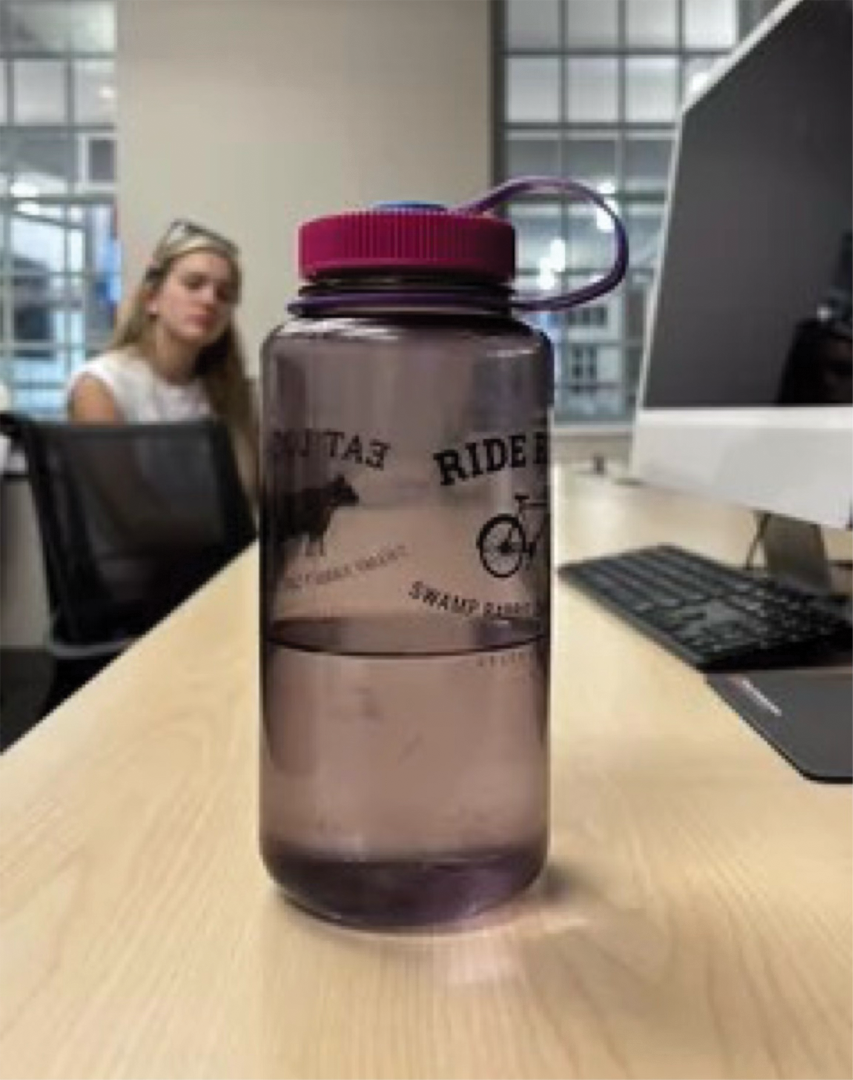
Before they started, we spent an entire 50-minute class using a water bottle to break down how this works.
We began with a text prompt asking the video model to move the camera from the front of the bottle to the top. Everybody tried that version together. The model could usually create the general vibe, but it didn’t know our exact bottle, desk, room, or composition.
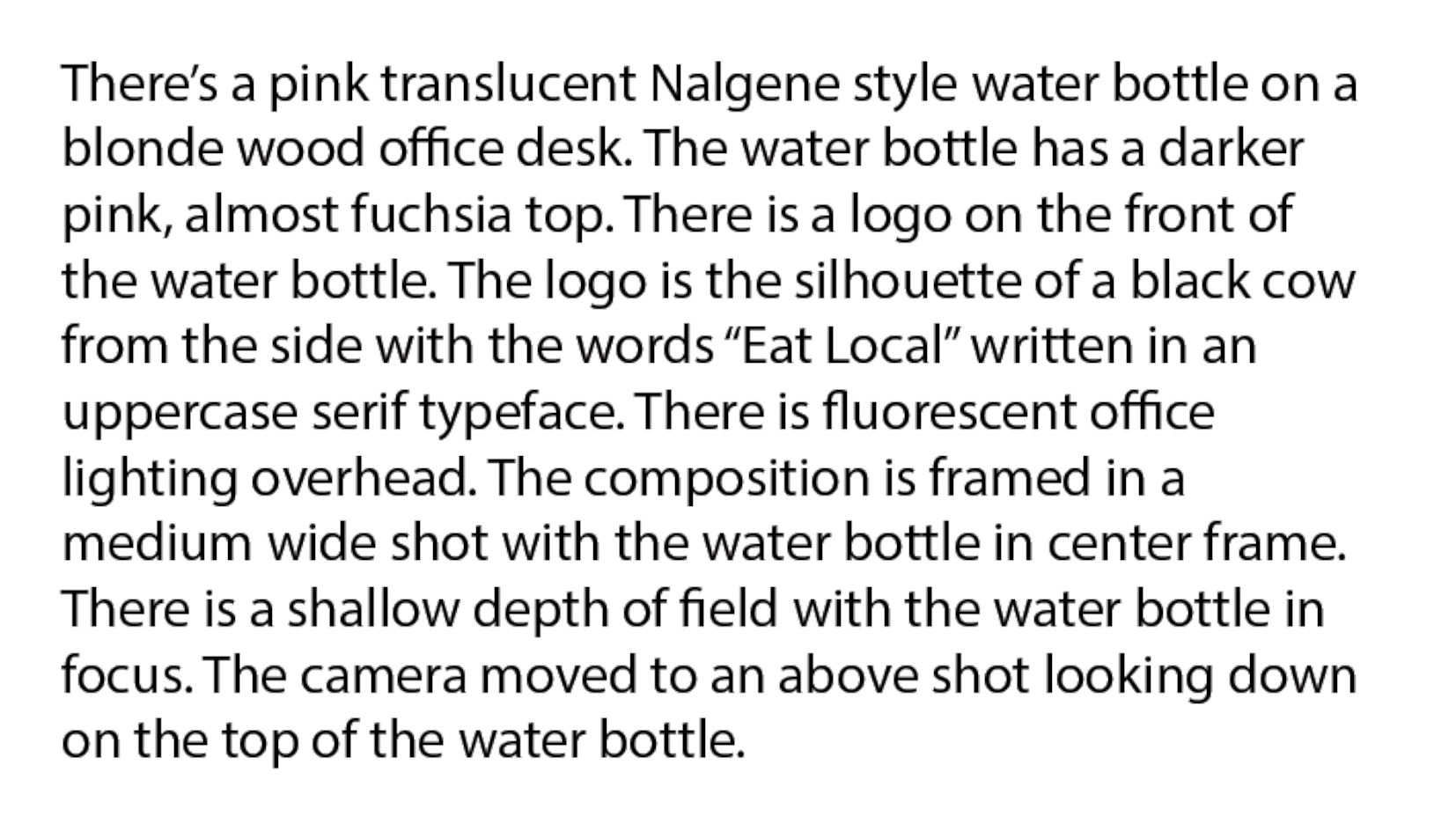
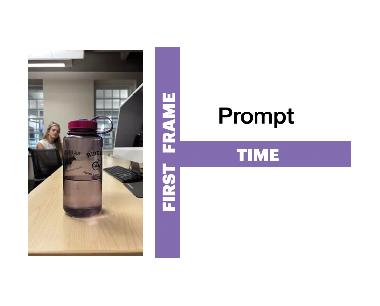
Then we added a photograph of the front of the bottle as the first frame. The bottle and composition became much more accurate, but the camera still didn’t have an end point to land on.
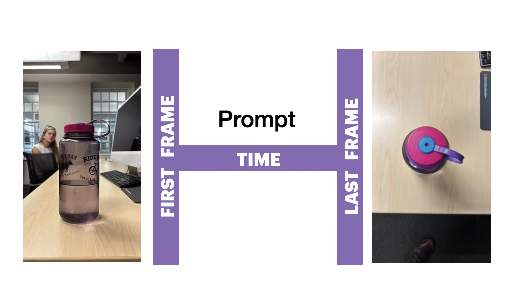
So we added a second photograph, taken from above, as the last frame. Now the model knew where it began, where it needed to end, and how we wanted the camera to move between those positions.
Not too bad, right? If it looks like a duck and walks like a duck, you got yourself an intentionally controlled generative video.
Finally, because it’s fun to break things, we removed the motion prompt but kept both images. The model still moved from the first frame toward the last one, but the path got weird because we hadn’t told it how to travel between them.
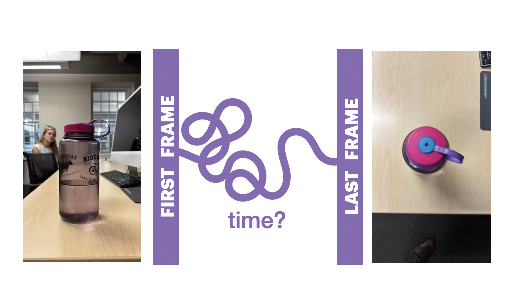
The first keyframe establishes the opening state. The last keyframe establishes the destination. The motion prompt describes the intended path, otherwise the model has to invent everything in between.
Here’s where things get messy. Two images can look pretty consistent when they’re sitting beside each other. The main object is still there. The colors feel related. The location seems close enough. Nothing immediately jumps out as completely wrong. Then Kling tries to connect them.
Suddenly the background shifts. A bench briefly grows another handle and then loses it again. Subtle changes between the two images that may have gone unnoticed when generating them scream those errors at 24 frames per second.


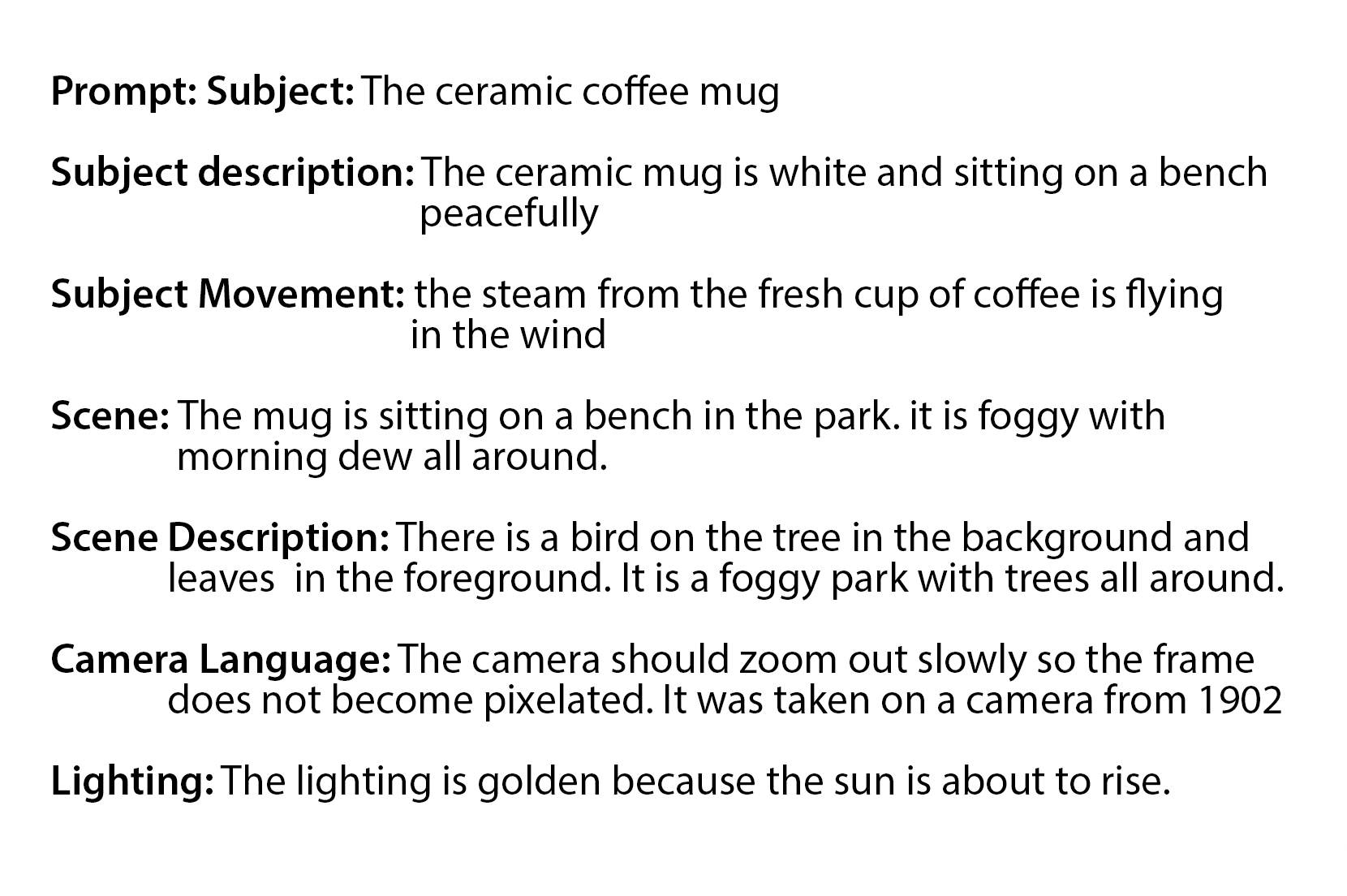
The video model isn’t leaving the difference between those images empty. It’s filling in the blank. Every inconsistency becomes information it has to figure out while generating the frames between the two endpoints. It’s got to fill out the parts of the equation that aren’t accounted for.
That became one of the most useful parts of the assignment. Motion acted like an X-ray for image consistency. Two still images could feel close enough on their own, but video made every little disagreement move. If the two images disagree, the motion prompt can guide the path, but it can’t magically make those endpoints compatible.
Garbage in, garbage out, right?
The Student Who Took One Wrong Turn
One student’s first grade came back as a 61.
The student had been assigned one kind of camera movement but accidentally selected a different one. They began in the wrong place, and Luna allowed that mistake to spread through almost every category in the rubric. The project was treated as incomplete, poorly planned, weakly controlled, and not very well understood.
But when I looked at the whole process, that wasn’t what the evidence showed.
Yes, the student chose the wrong movement. That mattered. The assignment asked for one thing, and the student made something else.
After that mistake, though, the student did the rest of the process correctly. They created the images they needed for the movement they had selected. They used the tools intentionally. They controlled the experiment. They reflected on what happened and demonstrated that they understood why it worked.
It reminded me of a math problem where somebody copies one number incorrectly at the beginning, then performs every step that follows correctly. The final answer is wrong, but that doesn’t mean they don’t understand the math.
The missed starting point isn’t the whole story. It doesn’t automatically erase the student’s intention, control, or understanding.
The grade changed from a 61 to a 95.
But I could see where Luna got off track, just like the student. The problem was that it judged the ending, then allowed one wrong turn near the beginning to define everything that followed.
To grade the project accurately, I had to trace the pipeline backward and figure out where the problem actually began.
I Watched the Part the AI Couldn’t
This assignment also forced me to think about what evidence the AI could actually see.
I’d been looking for a practical way to have AI watch the students’ videos, but I couldn’t find one that gave me confidence it was experiencing the full motion. Codex could pull a few still frames from the video and compare them. That was useful, but three frames from a video might show the beginning, middle, and ending while completely missing the strange thing that happened between them.
We could’ve extracted every frame, lined them all up, and tried to reconstruct the movement image by image. Maybe that would’ve worked. It also seemed like a wildly complicated solution to a problem I could solve by just watching the video.
So, like a good professor, I did! It’s not like I wasn’t going to watch them anyway.
As I watched each video, I wrote down what happened over time. I noted when something slid, morphed, appeared, disappeared, changed direction, or behaved differently from what the student described. Those notes became the temporal evidence for Luna’s grading process. The AI could compare my observations with the student’s first and last images, prompts, reference images, process documentation, and reflection.
I supplied the experience of time. The AI organized the evidence around it.
The Other Pipeline
Just like the video assignment, my grading process had its own chain of connected tools and handoffs.
I worked with Sol, the more capable and expensive model, to understand the assignment, establish the grading standard, and calibrate a few examples. Those examples were chosen randomly, but they gave us several useful distinctions. One student demonstrated strong control from beginning to end. Another understood exactly why part of the video failed, but that understanding didn’t retroactively give them control they hadn’t demonstrated. A third revealed that a problem visible in the video had actually begun earlier, when too many parts of the image-generation recipe changed between the two endpoint images.
Once I was happy with how Sol was seeing and understanding my intent, we moved to a less expensive model to knock out the more mechanical process of grading each submission.
This was the workflow I’d figured out after the previous assignment. My earlier handoff had transferred the rubric, approved scores, and grading procedure without transferring enough of the reasoning that produced those decisions. Luna received the answer without the story behind it.
This time the handoff included that story. Luna had to explain the assignment and grading standard in its own words, then independently replay one approved example before it was allowed to continue. Its proposed score and reasoning materially matched the approved calibration. Kind of like a little test to make sure it understood all the context, the detailed texture, of the whole calibration process with Sol.
Then it graded the roster one student at a time.
That part worked.
The handoff worked. The replay worked. The one-student-at-a-time grading worked. Luna could combine the student’s submitted material with my video observations and produce grades that were generally solid enough for me to review and adjust.
Some context still had to be added as I found a reason for it. I had scaffolded the previous assignment into this assignment, meaning the previous week’s context explained a lot about what this week’s results were showing. But that context hadn’t been explicitly given during the first Sol run of calibration examples. When a submission’s error clearly began with the way they generated the two endpoint images, I realized Luna needed that earlier teaching context to understand the current failure.
Once I’d added that context, it became part of the established grading standard. The next student needed a fresh review of their own work, but Luna didn’t need to relearn the assignment or repeat the calibration to do it. The teaching context stayed the same while the student evidence changed.
I thought that part was understood.
FIFTY. FREAKING. MINUTES.
This brings us back (finally) to the two late student submissions I was talking about at the start of this post. When they arrived and Luna began grading, it started to rebuild the whole process around the work it already knew how to grade. But somewhere between my instruction and the final grades, it took a left at Albuquerque.

For each student it began to reread documents. It recalibrated. It checked the state. It updated the state. It checked paths. It revisited instructions. It reconsidered the training dossier handoff from Sol. It ran confirmation passes. It reconciled records and then checked them again.
I don’t know exactly why the smaller request triggered the larger process. Maybe when Luna graded the full roster, it understood that the assignment setup and calibration happened once before the run. When I later said, “Grade these two,” maybe it interpreted them as two new grading operations and restarted more of the machinery for each one.
Whatever happened, it was persistent. It was careful. It was thorough. INCREDIBLY thorough.
But holy hell, it was completely unnecessary.
TBH… the two final grades were great. Luna knocked it out of the park, competently performing the process it thought I wanted. It just missed the first turn and traveled a very long distance in the wrong direction.
Just like the student who selected the wrong camera movement.
The PIN Problem
The issue isn’t that checking is bad. I’m an anxious person; I get it… but the checks were happening at the wrong frequency.
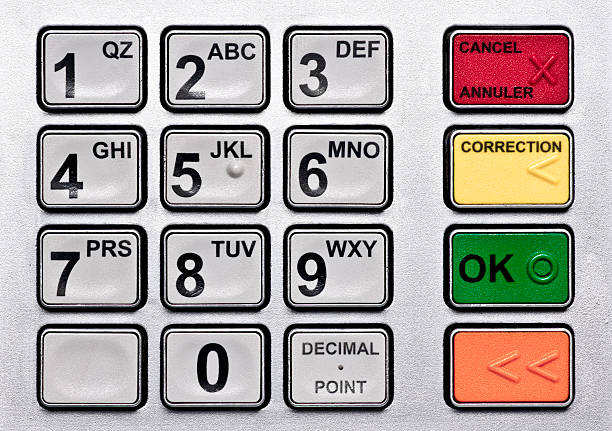
Imagine entering a four-digit PIN into a keypad. A reasonable interaction is:
1 2 3 4. OK.
What Luna was doing felt more like:
- Is that correct? OK.
- Is that correct? OK.
- Is that correct? OK.
- Is that correct? OK.
Now, can you confirm the full PIN?
That’d be crazy, right? Every single individual confirmation sounds overly cautious and unnecessary, making a simple interaction miserable.
I’d told the grader to handle one student at a time because I didn’t want evidence and judgment bleeding between students. I wanted it to inspect one student’s submission, make the judgment, write the result, update the state, and then close that context before opening the next student.
But “one student at a time” was just too broad. Luna treated the entire process as part of the per-student loop. Read the assignment. Read the full handoff instructions. Calibrate understanding of the task. Complete the teach-back. Look at the individual student’s work. Judge the work. Write feedback. Look through the entire roster of folders to check and confirm status of completeness. Confirm final status. Start the next student. For EVERY. SINGLE. STUDENT… it’s too much (kinda like how I’ve repeated its repeated steps like four times already).
The assignment only needed to be understood once. The student was the repeatable part; the entire grading system wasn’t supposed to reboot around every student.
So I had to adjust the way it got from the start frame to the end frame. I had to control what happens over time with more specific intention.
Once per assignment
- Read the assignment and teaching context.
- Establish the grading standard.
- Calibrate examples.
- Transfer the judgment through the handoff.
- Complete the teach-back and replay.
Once per student
- Inspect that student’s evidence.
- Make the judgment.
- Write the detailed result and feedback.
- Update the state file so the system knows who’s next.
- Move on.
Once after the roster
- Resolve any questions that could be deferred safely.
- Reconcile the results and state.
- Confirm that every student has a final status.
During a normal student loop, only two documents need to change: the results ledger containing the grade and feedback, and the state file tracking where the grader is in the roster.
The grading instructions, calibration story, the handoff dossier, the project history and context? None of that changes. That context is good the first time… just not every time.
Context is useful, but context doesn’t need to be performed again every time the system takes another step.
Is that correct? OK.
So, you know, life imitates art and all that. I spent the week telling students about start frames, end frames, and the importance of specifically telling the AI what to do over time. What happens in the middle needs direction too.
Then I turned around and forgot the same thing with my grading agent. I gave Luna the starting point and the result I wanted, but left too much room for it to figure out the process between them.
Funny how that works out.
So the revised grading workflow is basically a better motion prompt. Will that fix it? We’ll find out on the next assignment!
I can’t predict every way Luna might get off track. All I can do is put up a few more guardrails and hope it doesn’t get quite so lost in the sauce.